
Cart 0

Written by Jacob Sipos
Published September 27, 2026
Build Websites Using AI
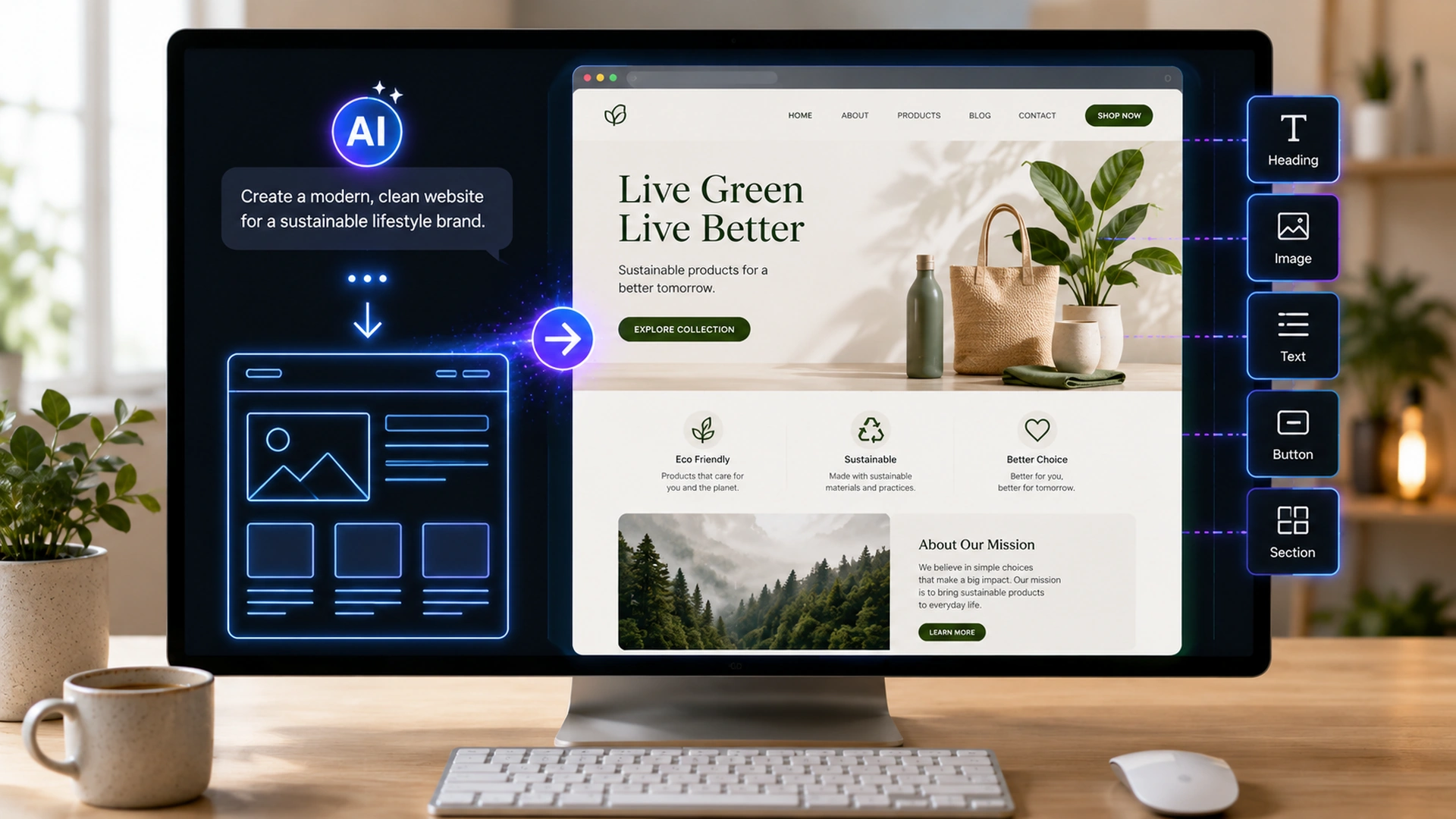
AI can make website creation dramatically faster, but you still need to know what the website should accomplish.
Building a website with AI can feel like sitting beside a designer and developer who can create a first version while you describe what you want in ordinary language.
Suppose you describe a clean website for a local landscaping company, including who its customers are, which pages it needs, the colors you like, and the services it offers, and then ask AI for a first version. Very quickly you can have something visible to click through and react to instead of a blank screen. That first draft will not be finished, but reacting to a real draft is far easier than imagining a whole website from nothing. This guide shows you where to build, how to brief the AI, how to improve the draft in focused passes, and what to check before anyone else sees the site.
What Does It Mean to Build a Website With AI?
If you search for ways to build a website with AI, you will find tools that seem to do very different jobs, and that is because they do. An AI website builder generates the layout and content inside a hosted platform, so design, hosting, and editing all live in one place. A coding assistant writes HTML, CSS, and JavaScript, or code for a framework, that you then use in your own project. A coding agent goes further: it can edit an entire project, run tests, and attempt to fix the problems it finds. The right choice depends on how much control you want and how comfortable you are with files and code.
DESCRIBE
GENERATE
REVIEW
REFINE
LAUNCH
What these tools share is that you can begin with intent instead of syntax. Rather than learning how to code a navigation menu, you explain the result you want, such as a menu with five pages and a booking button on the right, and AI translates that description into structure, design, content, and code. Your main job becomes describing outcomes clearly enough that the result matches what you had in mind.
AI Does Not Eliminate Website Decisions
It changes where your effort goes. Instead of spending hours placing elements and writing code, you spend more time defining the goal, reviewing the result, spotting problems, and directing improvements. Those decisions still determine whether the website works for the people who visit it.
Knowing the three kinds of tools is useful, but it does not tell you where to click first. The next section answers that practical question, starting with the options that require no code at all.
Where Do You Actually Go to Build an AI Website?
If you have never built a website before, this is the part that matters most: you do not need to open a code editor first. Start with a service that lets you describe the website in normal language, look at what it produces, and ask for changes the same way you would ask a person. The table below compares four common starting points, from the simplest to the most technical.
| Program | Good Starting Point |
|---|---|
| ChatGPT Sites | A simple place to start if Sites is available on your paid ChatGPT account. Open Work, ask ChatGPT to build a website, review the preview, request changes, then publish. Sites is currently rolling out in public beta and is not on Free or Go plans. |
| Wix | Beginner friendly when you want AI creation plus visual drag-and-drop editing, hosting, domains, forms, scheduling, or ecommerce in one service. Wix’s Harmony Editor can generate a site from your description. |
| Replit | Useful when you want AI to build a more custom website or web app through chat. Describe the idea to Replit Agent, let it build, then continue asking for changes. |
| AI coding tools | Tools such as Codex or Claude Code are better when you want direct control of a code project. They are powerful, but they are not the easiest first choice for someone who does not yet understand files, hosting, or code. |
If You Are Completely New, Start Here
For a normal small-business, portfolio, service, or informational website, begin with ChatGPT Sites or Wix. Both let you learn the basic process of describing, reviewing and publishing a site without first learning programming. Move to Replit or a coding agent later, when you need more custom behavior than a builder offers.
Example: Build Your First Site in ChatGPT Sites
1. Open ChatGPT and choose Work.
Sites is created from Work on ChatGPT web, or from Work or Codex in the desktop app, when the feature is available to your account. If you do not see the option, check your plan first, because Sites is not offered on Free or Go plans.
2. Tell it what you want.
Type something simple, such as: “Build a website for my mobile dog-grooming business. I need Home, Services, About, FAQs, and Contact. Make the main goal booking an appointment.” Naming the pages and the main goal gives the AI enough direction to produce a useful first draft.
3. Look at the preview.
Do not worry if it is not perfect, because the first preview exists to give you something to react to. Click through every page and note what feels wrong, what is missing, and what you already like.
4. Ask for changes in plain English.
You can say things such as “make the homepage brighter,” “put pricing above the FAQ,” “make the booking button easier to see,” or “use these photos instead.” One clear request at a time makes it easier to see whether each change actually helped.
5. Add your real information.
Replace generated placeholders with your actual business name, services, prices, contact information, photos, policies, and approved claims. Anything the AI wrote about your business should be checked against the facts before visitors see it.
6. Test it.
Open every page, click every button, test the forms, and check the site on your phone. A site that looks finished can still have a button that goes nowhere, and testing is the only way to find out.
7. Publish it.
When it is ready, use the sharing controls and publish, and ChatGPT creates a Site URL you can share. Where supported, you can also connect a domain you already own, so visitors see your own web address instead.
What If You Use Wix Instead?
Create or sign in to a Wix account, start a new site, and choose its AI creation option. Describe the business and style you want, much as you would in ChatGPT. Wix generates the pages, and then you can click elements and visually change text, pictures, colors, sections, and layout. When you are satisfied, choose a domain and publish. This can feel more familiar to beginners because you can both talk to AI and manually move or edit things on the page.
What Do You Need Before You Start?
You do not need code, but you do need your own material, because the AI can only work with what you give it. Gather these items before you open any tool:
- Your name and logo. Have the business or project name ready, along with a logo file if you have one.
- Contact information. Write down the phone number, email address, and location details visitors should see.
- Services or products. List what you offer in your own words so the AI does not have to guess.
- Real photos. Collect pictures of your actual work, team, or products so the site shows what you really do.
- Preferred colors. Note any brand colors or styles you already use so the site matches them.
- The pages you need. Make a rough list, such as Home, Services, About, and Contact.
- The main visitor action. Decide the one thing you most want visitors to do, such as call, book, or buy.
If you do not know what pages you need, tell the AI what the website is for and ask it to recommend a simple sitemap first. Once your materials are together, the next step is to turn them into a short written brief, which is what separates a useful first draft from a generic one.
Start With the Website Brief, Not the Website
Imagine handing a designer a sticky note that says “nice website, please” and walking away. A vague instruction such as “make me a beautiful website” gives AI the same kind of freedom. It will fill every gap with guesses about your audience, your services, and your tone, and those guesses are often generic or simply wrong. A short written brief prevents most of that. Before you generate anything, define who the site is for, what visitors should do, what information must appear, and how the site should feel.
Four things AI should know first
AUDIENCEWho is visiting?
Customers, students, clients, employees, donors, or another group.
GOALWhat should happen?
Buy, book, call, learn, subscribe, compare, apply, or contact.
CONTENTWhat must be included?
Services, proof, pricing, FAQs, products, forms, policies, or resources.
STYLEHow should it feel?
Professional, warm, technical, premium, simple, playful, or understated.
Then add the real constraints that AI cannot know on its own, such as the following:
- Brand colors and logo. Share the exact colors and files you already use so the site looks like your business.
- Required pages. Name the pages you definitely need so none of them are left out.
- Examples you like. Point to websites whose look or layout you would like to borrow ideas from.
- Mobile and accessibility needs. State that the site must work well on phones and for visitors with disabilities.
- Integrations. Mention any tools the site must connect to, such as a booking tool or a newsletter signup.
- Things AI must not invent. List details such as prices, credentials, or testimonials that must come only from you.
The more of this you provide up front, the less time you spend correcting the first version. With the brief in hand, you are ready to give the AI its first real instruction, and the way you phrase that instruction matters more than most people expect.
Prompt the First Version Like You Are Briefing a Real Designer
A good designer would never start work after a single sentence from a client, and AI does better with the same kind of briefing. When you write the first prompt, describe the business, the audience, the main goal and the style as specifically as you can. The example below shows how a few concrete details give the AI a clear direction instead of a blank canvas.
PROMPT → FIRST WEBSITE VERSION
YOUR BRIEF
Build a clean five-page website for a residential landscaping company. The primary goal is quote requests. Use generous whitespace, strong project photography, clear service sections, testimonials, FAQs, and one obvious call to action.
Specific instructions reduce random design decisions, because the AI no longer has to guess what matters most.
GENERATED DIRECTION
Outdoor spaces built to last.Clear promise + primary action
A strong starting prompt
Build a responsive website for [business/project]. The primary audience is [audience], and the main action I want visitors to take is [action]. Include these pages: [pages]. The visual direction should feel [style]. Use [brand colors/assets]. Prioritize mobile usability, accessibility, fast loading, clear navigation, and strong calls to action. Do not invent testimonials, statistics, credentials, pricing, or claims. Before building, summarize the proposed site structure and any assumptions.
AUDIENCEGOALPAGESSTYLECONSTRAINTS
Notice the last line of that template. Asking the AI to summarize its plan and assumptions before building gives you a chance to correct misunderstandings while they are still cheap to fix. Fill in the brackets with your own details, and keep a copy of the prompt so you can reuse it on your next project.
The first version that comes back will almost never be exactly right, and that is normal. What you do next decides whether the draft steadily improves or keeps going in circles.
Do Not Ask AI to “Make It Better.” Improve One Dimension at a Time
The first draft is on your screen, and the temptation is to type “make it better” and hope. Now that a real version exists, you can point to something concrete instead of describing an idea. Asking AI to “make it better” invites it to change everything at once, and you lose track of what improved and what got worse. A more reliable approach is to review the site in passes, focusing on one dimension at a time.
PASS 1Structure
Fix navigation, section order, hierarchy, and missing information.
PASS 2Visual design
Improve spacing, typography, imagery, consistency, and emphasis.
PASS 3Conversion
Clarify calls to action, proof, objections, and next steps.
PASS 4Technical
Check responsiveness, accessibility, performance, links, and forms.
Small, targeted instructions are easier to evaluate and reverse than repeated complete redesigns. If you ask only for the services section to move above the testimonials, you can see immediately whether that helped. If you ask for a fresh design every time, you never build on what was already working.
Use screenshots when your AI tool supports them. A screenshot with a precise instruction such as “reduce the empty space above this section and align these cards” can communicate a visual problem faster than a long description.
Working in passes improves how the site looks and works, but it cannot fix one problem on its own: words that sound convincing but are not true. That is the next thing to watch for.
AI Can Build the Page, but It Should Not Invent the Business
Few things undermine a new website faster than a claim the business cannot back up. AI is good at organizing real information into headlines, service descriptions, FAQs, calls to action, tables, and page structures. The danger appears when generated copy invents facts. AI tools are designed to produce plausible text, so when a detail is missing, they may supply one that sounds right without being true.
A contractor asks AI to build a website. The generated homepage says the company has “25 years of award-winning experience,” even though nobody supplied that information.
The sentence sounds polished, but it is not marketing. It is an unsupported claim, and if a customer later learns it is false, it can damage trust in everything else on the site.
The fix is to supply the facts yourself. Give AI your real services, policies, credentials, product information, common customer questions, approved testimonials, and the things that genuinely set you apart. Then tell it directly to flag missing information instead of filling gaps, for example by leaving a clearly marked placeholder such as “[add years in business].” Before launch, read every sentence that makes a factual claim and confirm that you can stand behind it.
Getting the words right is mostly about supplying your own facts. As you ask for more custom features, though, AI starts changing the code underneath the page, and it helps to understand what that means.
You Do Not Need to Be a Programmer to Benefit From Code, but You Should Understand What AI Is Changing
At some point you may want something a builder cannot do with a click, such as pricing cards that behave differently on phones. That is where AI starts writing and changing code on your behalf. The exchange below shows how a plain-English request can become a specific code change, without you typing a single line of code yourself.
Natural language can become working code
You: Make the pricing cards stack vertically on phones, keep equal spacing, and make the primary plan visually stronger.
AI: I will update the responsive CSS, preserve the desktop layout, and check the mobile breakpoint.
✓ CSS updated ✓ responsive layout checked
AI: I will update the responsive CSS, preserve the desktop layout, and check the mobile breakpoint.
✓ CSS updated ✓ responsive layout checked
AI coding agents can create files, explain code, write tests, and debug errors. They are most useful once you need more control than a visual builder provides, such as a custom feature, a specific layout, or a site you want to host yourself. If you reach that point, the official introductions explain how each tool works: OpenAI Academy: Codex · Anthropic: Claude Code
Even if you never plan to write code yourself, it helps to learn basic concepts such as HTML, CSS, JavaScript, responsive design, forms, domains, hosting, databases, and APIs. You do not need to master them. Knowing roughly what each one does lets you give clearer instructions, understand the AI’s explanations, and recognize when a requested change is larger or riskier than it sounds, such as adding user accounts or storing customer data.
Whether the AI changed code or you adjusted settings in a builder, the same rule applies before launch: nothing counts as working until you have tested it yourself.
A Website Is Not Finished When It Looks Good on Your Laptop
Test different viewing conditions
DESKTOP
MOBILE
Many people preview a new site on the computer they built it on, see that it looks good, and assume it is ready. Before launch, click every navigation item, button, form, link, menu, checkout step, and interactive element. Test the site on multiple screen sizes and browsers, including at least one real phone, because a layout that looks balanced on a laptop can overflow or hide buttons on a small screen. Submit every form yourself and confirm that the message actually arrives where it should, whether that is your inbox or a booking system.
AI can help you create a testing checklist tailored to your site, and it can review code for obvious errors. Do not accept “looks good” as proof that the website works, though. An AI tool may describe a form as set up correctly even when the messages are never delivered, so the final check has to be a real test performed by a person.
Once the site works for you, the next question is whether it works for search engines and for visitors with disabilities. AI can help with both, as long as you treat it as a reviewer rather than a magic switch.
Use AI for SEO and Accessibility as a Reviewer, Not a Magic Switch
It is tempting to ask AI to “do the SEO” and consider the job finished. AI can help draft page titles, meta descriptions, headings, alt text, internal links, FAQs, and content outlines. It can also review a page for basic accessibility issues, such as form fields without labels or images without descriptions. These are useful starting points, but each suggestion still needs a human check before it goes live.
SEO is not simply inserting keywords, and accessibility is not solved by automatic alt text. Search visibility depends on useful content and technical quality. Accessibility requires thoughtful structure, keyboard behavior, contrast, labels, focus states, alternatives, and testing. A page full of keywords can still be unhelpful, and generated alt text can still describe an image poorly, so both areas need real attention.
Ask AI to Explain the Problem
Instead of “fix my SEO,” ask it to identify specific technical or content problems, explain why each matters, and separate high-confidence fixes from recommendations that require judgment. That way you can apply the safe fixes quickly and think carefully about the rest.
With the content reviewed and the pages tested, only one stage remains: getting the site onto the public web under your own address. That stage has a few moving parts worth understanding before you press publish.
Understand What Happens Between “It Works” and “It Is Live”
A site that works in a preview is not yet a site anyone can visit. Between those two states sits a set of services that put your site on the public web, keep it secure, measure its visits, and let you recover it if something breaks. Here is what each one does.
DOMAINADDRESSThe public web address people type or click.
HOSTINGFILESThe service that makes the website available online.
DNSROUTINGRecords that connect the domain to the correct services.
SSL / HTTPSSECURITYEncryption for traffic between the visitor and the website.
ANALYTICSMEASUREMENTTools that help you understand visits and important actions.
BACKUPSRECOVERYA way to restore the site when an update breaks something.
AI builders may package much of this together, which is convenient for a first website. Even so, you should know who controls your domain and hosting, which account they are registered under, and how backups work. If the domain belongs to someone else’s account or a backup has never been tested, you may only discover the problem when you need to move the site or recover from a broken update.
Once you understand what launch involves, the fastest way to move through every stage is to reuse instructions that already work. The next section collects several prompts you can copy and adapt.
Useful AI Prompts for Building Websites
You do not have to invent every instruction from scratch. The prompts below cover the four moments where a good instruction saves the most time: planning the site, polishing the design, reviewing it for conversions, and checking it before launch. Open each one, copy it, and replace the bracketed parts with your own details.
Plan the site before coding
I need a website for [business/project]. The audience is [audience], and the main goal is [goal]. Before writing code, propose the sitemap, primary navigation, purpose of each page, major sections, calls to action, information you still need from me, and assumptions you would otherwise have to make.
Improve the design professionally
Review this page as a senior web designer. Keep the content and brand direction, but improve visual hierarchy, spacing, typography, alignment, consistency, mobile behavior, and clarity. Avoid decorative elements that do not serve the page. Explain the changes before applying them.
Review for conversion
The primary goal of this page is [goal]. Review it from the perspective of a first-time visitor. Identify unclear messaging, weak proof, unanswered objections, distracting elements, confusing calls to action, and unnecessary friction. Prioritize the five changes most likely to improve clarity.
Run a pre-launch review
Perform a pre-launch review of this website. Check navigation, responsive behavior, forms, accessibility basics, metadata, heading structure, broken links, loading issues, placeholder content, unsupported claims, privacy/security concerns, error handling, and anything that could prevent a visitor from completing the main goal.
Even with good prompts, some problems come up again and again. Knowing the most common mistakes in advance helps you avoid them on your very first build.
Common Mistakes When Building Websites With AI
Most disappointing AI websites are not the result of a bad tool. They come from a handful of predictable habits, and each one is easy to avoid once you know what it looks like.
Starting with a vague prompt.
AI cannot reliably infer your business strategy, audience, priorities, and factual constraints from “make a good website.” Give it a written brief first, and the first draft will start much closer to what you need.
Accepting the first design.
The first generation is a starting point, not a finished site. Professional results usually come from deliberate revision, one focused pass at a time.
Letting AI invent content.
Review testimonials, statistics, credentials, product details, prices, legal claims, addresses, and other facts. If you cannot confirm a claim, remove it or replace it with real information.
Changing too many things at once.
Large, vague revisions make it difficult to know which change improved or damaged the site. Change one thing, review it, and then move on to the next.
Ignoring mobile.
A polished desktop layout can still have broken menus, overflowing text, tiny controls, or poor spacing on a phone. Check every page on a real phone before you consider the site finished.
Giving an agent unrestricted access without understanding the risk.
Coding agents can modify files and run actions on your behalf. Use appropriate permissions, version control, backups, review, and approval boundaries so that a mistake can be caught and undone.
Launching without testing.
A contact form that never sends is a broken website, no matter how good it looks. Test every important action on the live site before you announce it.
None of these mistakes mean AI is the wrong tool. They are the price of moving quickly, and weighing that price honestly is what the next section is about.
Building Websites With AI: Pros and Cons
Is building with AI actually worth it? For many small websites it is, but every advantage comes with a matching risk. The table below pairs each benefit with the downside you should plan for.
| Pros | Cons |
|---|---|
| Can turn an idea into a visible prototype very quickly. | Fast generation can encourage people to skip planning. |
| Reduces repetitive coding and layout work. | Generated code can contain bugs, security issues, or unnecessary complexity. |
| Makes website creation more approachable for non-developers. | Non-developers may not recognize when a technical problem is serious. |
| Can explain and modify existing code in plain language. | AI explanations and fixes can still be wrong. |
| Makes experimentation with layouts and copy inexpensive. | Too many easy variations can lead to endless redesign instead of decisions. |
| Can help with testing, documentation, SEO checks, and accessibility review. | Automated checks do not replace real user testing or professional review where needed. |
A 7 Day AI Website Build Plan
If you take one stage per day, a week can be enough to go from an idea to a tested, live website for a simple project. Each day has a single focus, so you always know what you are working on and what can wait until later.
Day 1: Write the brief.
Define the audience, goal, pages, required information, brand direction, and technical needs. This short document guides every decision for the rest of the week.
Day 2: Generate the structure.
Create the sitemap, navigation, page hierarchy, and first homepage direction. Focus on structure before style, because the order of pages and sections shapes everything that follows.
Day 3: Build the core pages.
Create the most important pages with real information rather than placeholder claims. Start with the homepage and the page most closely tied to your main goal, such as Services or Booking.
Day 4: Refine the visual system.
Standardize typography, spacing, buttons, forms, cards, imagery, and mobile behavior. Consistency across pages makes the site feel professional and easier to use.
Day 5: Add functionality.
Connect forms, interactions, analytics, integrations, or other required features. Add one feature at a time and confirm it works before moving on to the next.
Day 6: Test aggressively.
Check phones, desktops, browsers, links, forms, accessibility basics, performance, and errors. Try to break the site the way a confused visitor might, so you find the problems before they do.
Day 7: Launch and monitor.
Connect the domain, verify HTTPS, confirm analytics, and test the live site. Keep a recoverable version of the project so you can restore it if a later change breaks something.
By the end of the week you will have a working site and a process you can repeat. The final section steps back and looks at what that process means for who is really responsible for the result.
Final Thoughts
AI website building means you no longer have to begin with a blank code file or an empty page builder. You can begin by describing the business, audience, goal, pages, style, and functionality, and AI can help turn that direction into a structure, visual design, written content, and working code. That makes a working first version realistic for beginners and small business owners who could never have built one from scratch.
Generation is no longer the biggest bottleneck. The harder questions are whether the site is accurate, useful, functional, secure, understandable, and effective for the visitor. Answering them still takes your real information, your judgment, and careful testing before and after launch.
Use AI to build faster. Keep humans responsible for what gets built and why.
Disclaimer: This article provides general educational guidance about AI-assisted website creation. AI can generate inaccurate content, broken code, insecure implementations, accessibility problems, or unsupported claims, so review and test generated work before publishing. Tools, hosting, models, prices, and features change over time. Users are responsible for rights to site materials and applicable privacy, accessibility, advertising, security, and other requirements. Do not place passwords, private keys, credentials, regulated data, or other sensitive information into prompts or source code unless authorized and secured. Complex ecommerce, authentication, payments, databases, or security-sensitive applications may require qualified technical or legal review.
Official resources:OpenAI Codex · ChatGPT Sites · Running Codex Safely · Gemini Code Assist · Claude Code

